bmad-method体验vibe编程
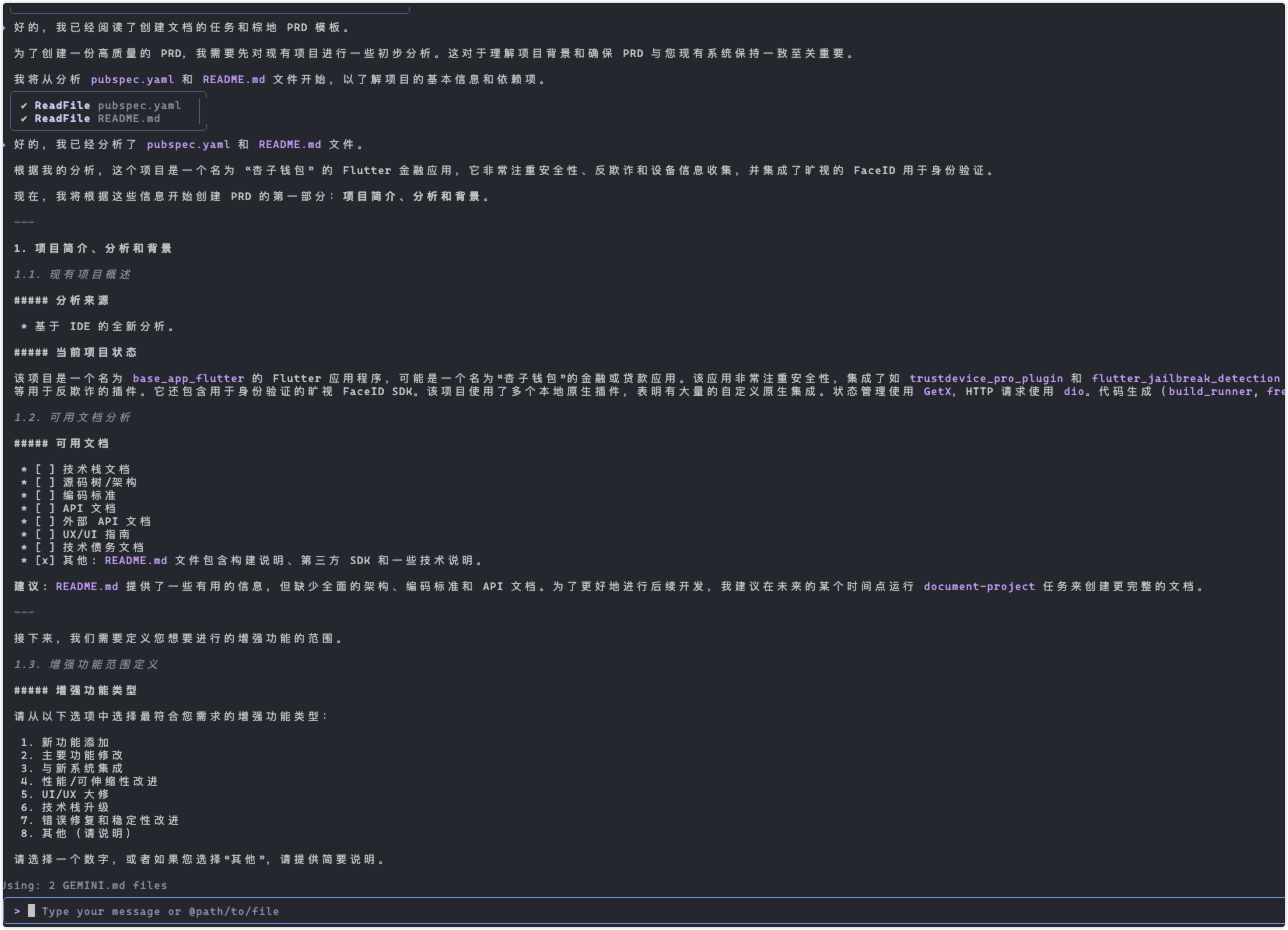
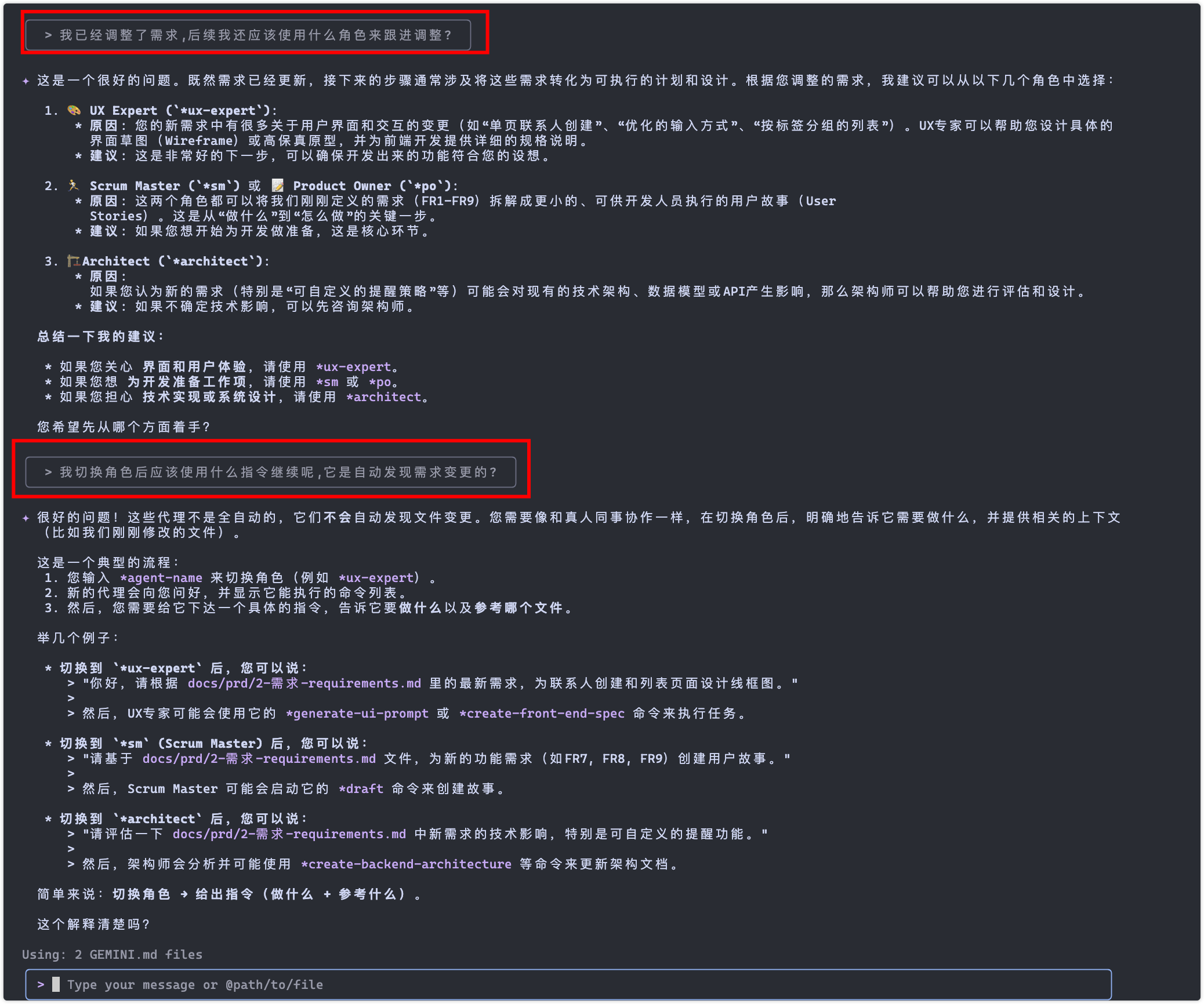
好的!让我先告诉你之后处理 HttpOnly Cookie 问题时要用的指令,然后我们继续下一步。
�� 处理 HttpOnly Cookie 问题的指令
当你准备处理 HttpOnly Cookie 的限制问题时,可以使用以下指令:
主要指令:
*handle-httponly-cookies
- 这会启动专门的 HttpOnly Cookie 处理流程
- 包括检测、UI 提示、错误处理等所有相关任务
具体任务指令:
*task httponly-cookie-detection
- 实现会话读取时的 HttpOnly Cookie 检测
*task httponly-cookie-ui-warning
- 在 UI 中添加 HttpOnly Cookie 警告提示
*task httponly-cookie-error-handling
- 增强错误处理机制,处理 HttpOnly Cookie 限制
*task httponly-cookie-documentation
- 完善文档和用户指导
查看待办状态:
*view-httponly-todo
- 查看 HttpOnly Cookie 相关的待办任务状态
🚀 现在继续下一步
既然 1.x 的核心功能都完成了,我们现在可以:
- 完善 Story 1.5: 完善用户反馈机制
- 开始 Epic 2: 进入产品完善阶段
- 处理 HttpOnly Cookie: 解决刚才发现的限制问题
你想先做哪一个?我建议先完善 Story 1.5 的用户反馈功能,这样用户体验会更好,然后再处理 HttpOnly Cookie 的问题。
请告诉我你的选择!
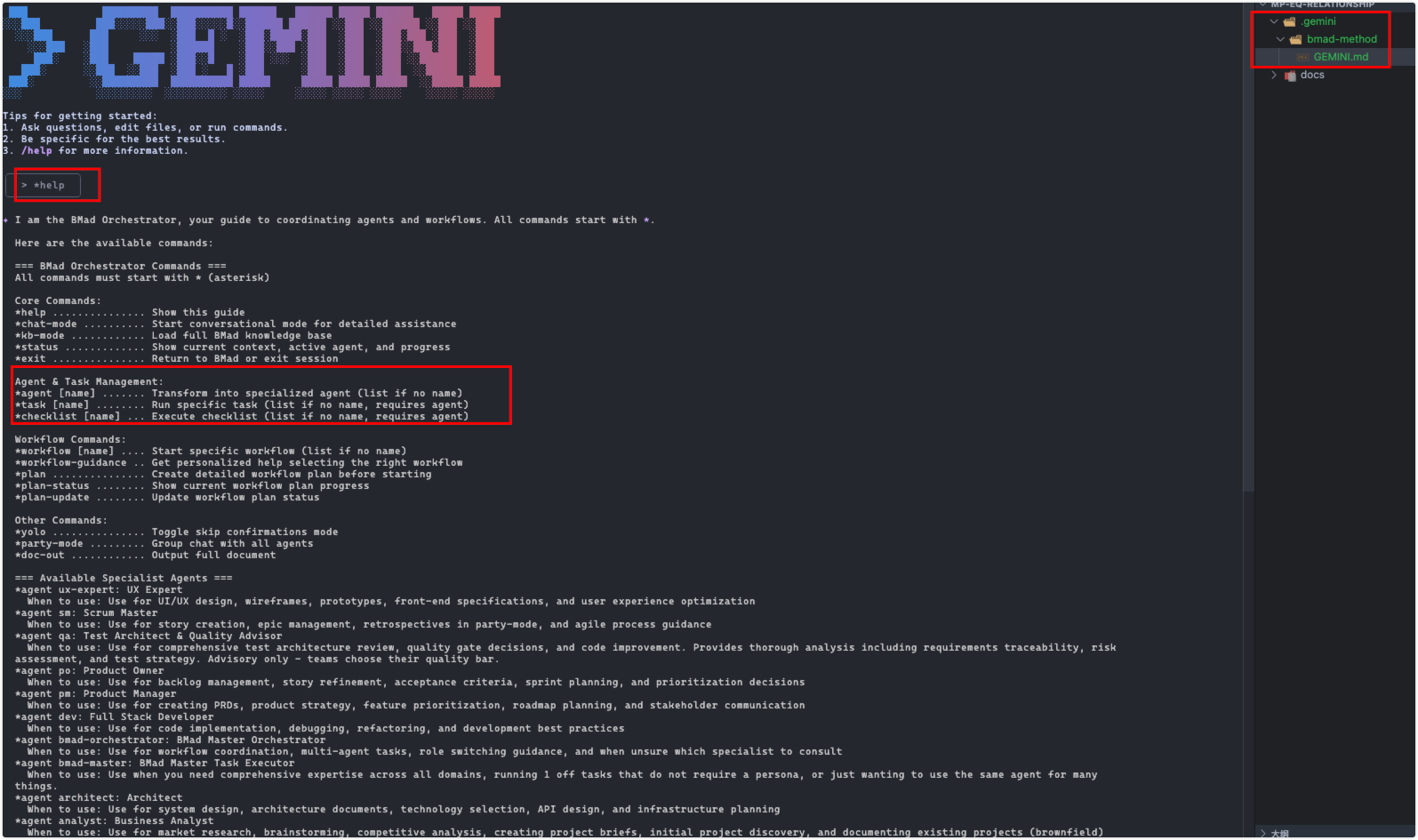 支持的指令
=== Available Specialist Agents ===
agent ux-expert: UX Expert
When to use: Use for UI/UX design, wireframes, prototypes, front-end specifications, and user experience optimization
agent sm: Scrum Master
When to use: Use for story creation, epic management, retrospectives in party-mode, and agile process guidance
agent qa: Test Architect & Quality Advisor
When to use: Use for comprehensive test architecture review, quality gate decisions, and code improvement. Provides thorough analysis including requirements traceability, risk
assessment, and test strategy. Advisory only - teams choose their quality bar.
agent po: Product Owner
When to use: Use for backlog management, story refinement, acceptance criteria, sprint planning, and prioritization decisions
agent pm: Product Manager
When to use: Use for creating PRDs, product strategy, feature prioritization, roadmap planning, and stakeholder communication
agent dev: Full Stack Developer
When to use: Use for code implementation, debugging, refactoring, and development best practices
agent bmad-orchestrator: BMad Master Orchestrator
When to use: Use for workflow coordination, multi-agent tasks, role switching guidance, and when unsure which specialist to consult
agent bmad-master: BMad Master Task Executor
When to use: Use when you need comprehensive expertise across all domains, running 1 off tasks that do not require a persona, or just wanting to use the same agent for many
things.
agent architect: Architect
When to use: Use for system design, architecture documents, technology selection, API design, and infrastructure planning
agent analyst: Business Analyst
When to use: Use for market research, brainstorming, competitive analysis, creating project briefs, initial project discovery, and documenting existing projects (brownfield)
支持的指令
=== Available Specialist Agents ===
agent ux-expert: UX Expert
When to use: Use for UI/UX design, wireframes, prototypes, front-end specifications, and user experience optimization
agent sm: Scrum Master
When to use: Use for story creation, epic management, retrospectives in party-mode, and agile process guidance
agent qa: Test Architect & Quality Advisor
When to use: Use for comprehensive test architecture review, quality gate decisions, and code improvement. Provides thorough analysis including requirements traceability, risk
assessment, and test strategy. Advisory only - teams choose their quality bar.
agent po: Product Owner
When to use: Use for backlog management, story refinement, acceptance criteria, sprint planning, and prioritization decisions
agent pm: Product Manager
When to use: Use for creating PRDs, product strategy, feature prioritization, roadmap planning, and stakeholder communication
agent dev: Full Stack Developer
When to use: Use for code implementation, debugging, refactoring, and development best practices
agent bmad-orchestrator: BMad Master Orchestrator
When to use: Use for workflow coordination, multi-agent tasks, role switching guidance, and when unsure which specialist to consult
agent bmad-master: BMad Master Task Executor
When to use: Use when you need comprehensive expertise across all domains, running 1 off tasks that do not require a persona, or just wanting to use the same agent for many
things.
agent architect: Architect
When to use: Use for system design, architecture documents, technology selection, API design, and infrastructure planning
agent analyst: Business Analyst
When to use: Use for market research, brainstorming, competitive analysis, creating project briefs, initial project discovery, and documenting existing projects (brownfield)
=== Available Workflows === workflow brownfield-fullstack: brownfield-fullstack Purpose: For existing fullstack projects. workflow brownfield-service: brown-field-service Purpose: For existing service-based projects. workflow brownfield-ui: brownfield-ui Purpose: For existing UI-based projects. workflow greenfield-fullstack: greenfield-fullstack Purpose: For new fullstack projects from scratch. workflow greenfield-service: greenfield-service Purpose: For new service-based projects from scratch. workflow greenfield-ui: greenfield-ui Purpose: For new UI-based projects from scratch.
💡 Tip: Each agent has unique tasks, templates, and checklists. Switch to an agent to access their capabilities
拆分任务
*agent bmad-master
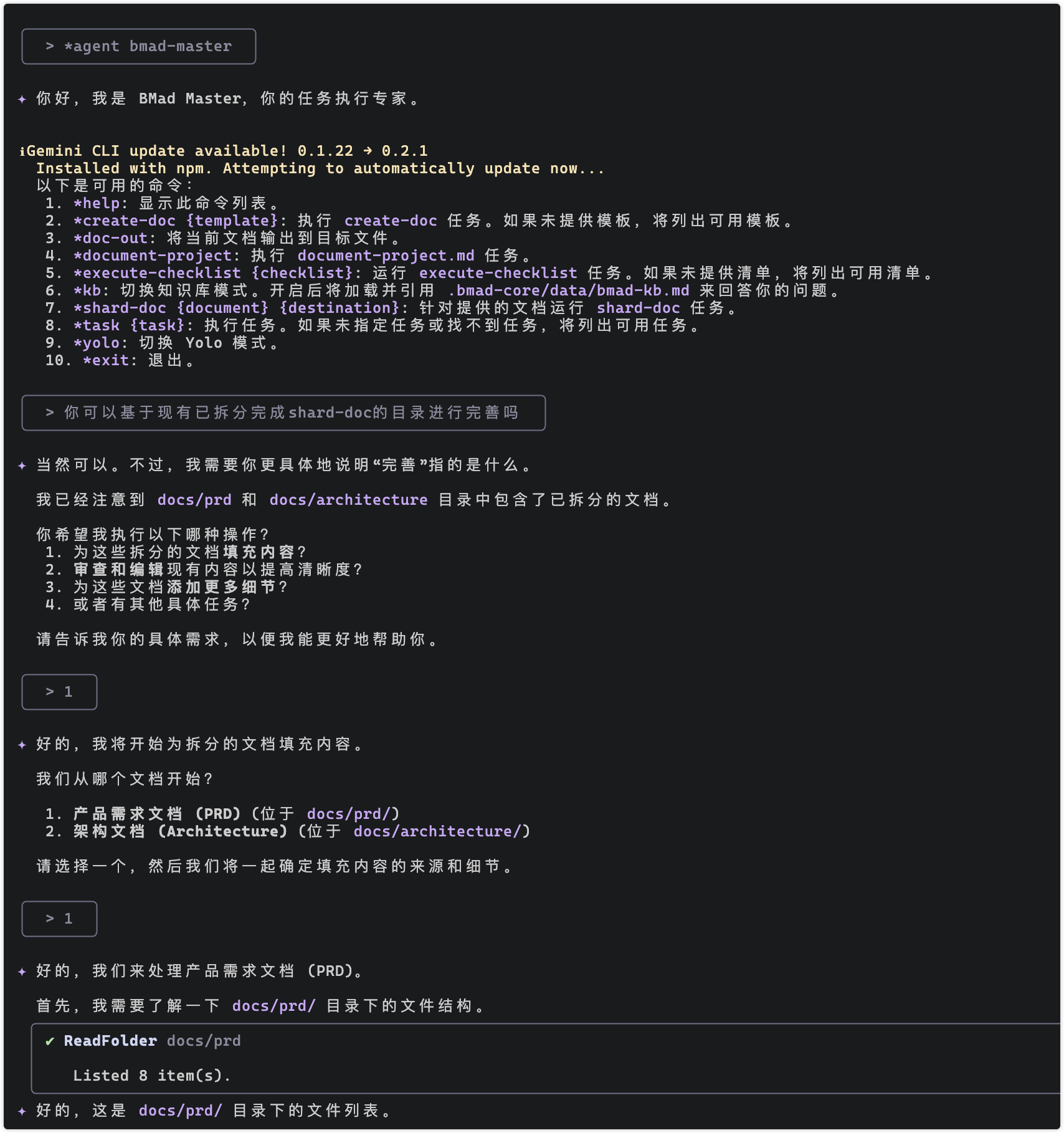
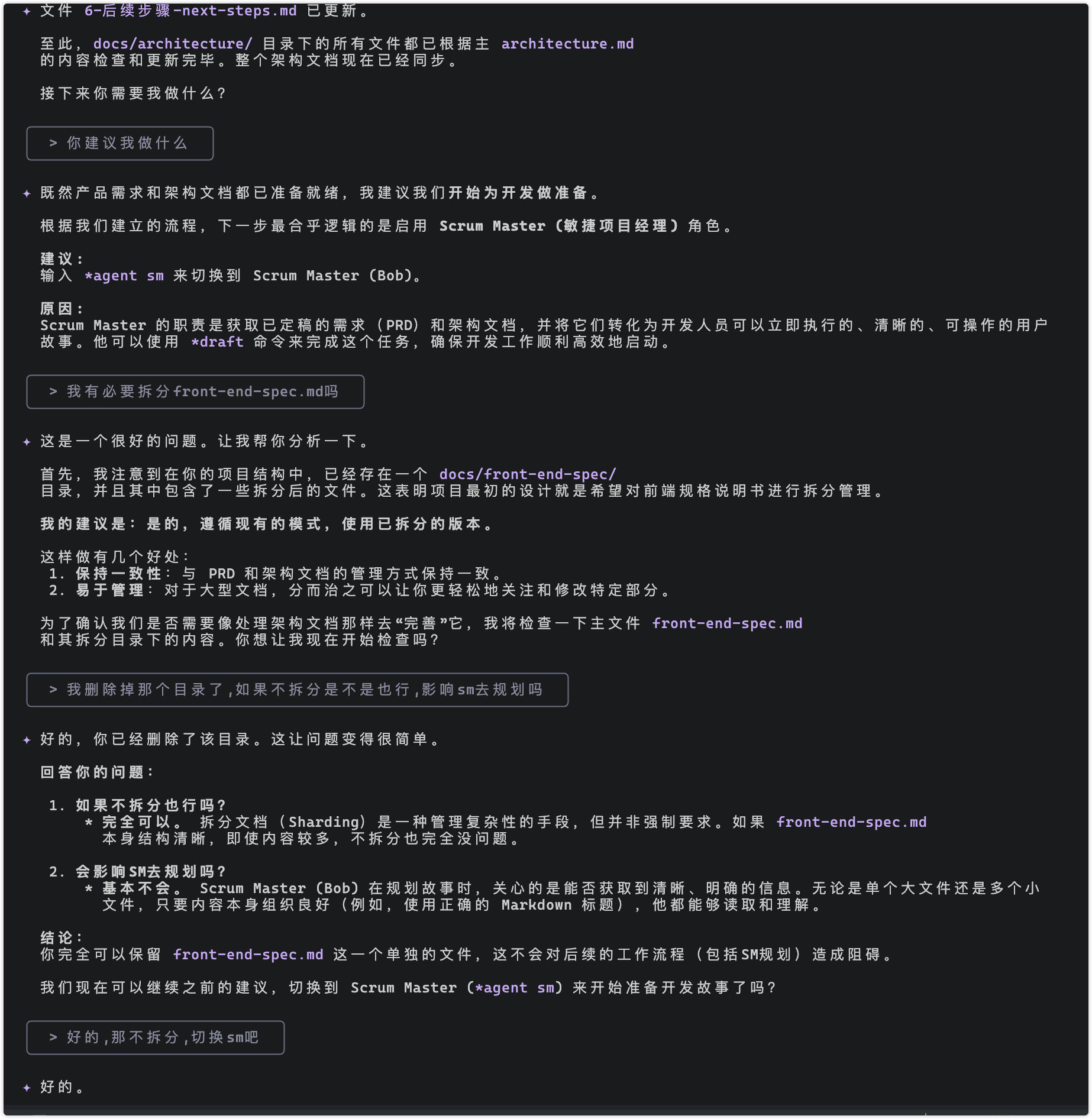
提示任务,w
*agent bmad-master │ ╰────────────────────────╯
✦ Hello! I am the BMad Master, ready to execute any task you require. Here are the commands I can execute immediately. Please select one:
- help: Show these listed commands in a numbered list
- create-doc {template}: execute task create-doc (no template = ONLY show available templates listed under dependencies/templates below)
- doc-out: Output full document to current destination file
- document-project: execute the task document-project.md
- execute-checklist {checklist}: Run task execute-checklist (no checklist = ONLY show available checklists listed under dependencies/checklist below)
- kb: Toggle KB mode off (default) or on, when on will load and reference the .bmad-core/data/bmad-kb.md and converse with the user answering his questions with this informational resource
- shard-doc {document} {destination}: run the task shard-doc against the optionally provided document to the specified destination
- task {task}: Execute task, if not found or none specified, ONLY list available dependencies/tasks listed below
- yolo: Toggle Yolo Mode
- exit: Exit (confirm)
执行原型拆分,将任务进行切片
保留.bmad-core配置,观察任务的配置目录 *shard-doc docs/prd.md
*shard-doc architecture 也可以自动去寻找架构目录(依据core-config.yaml)
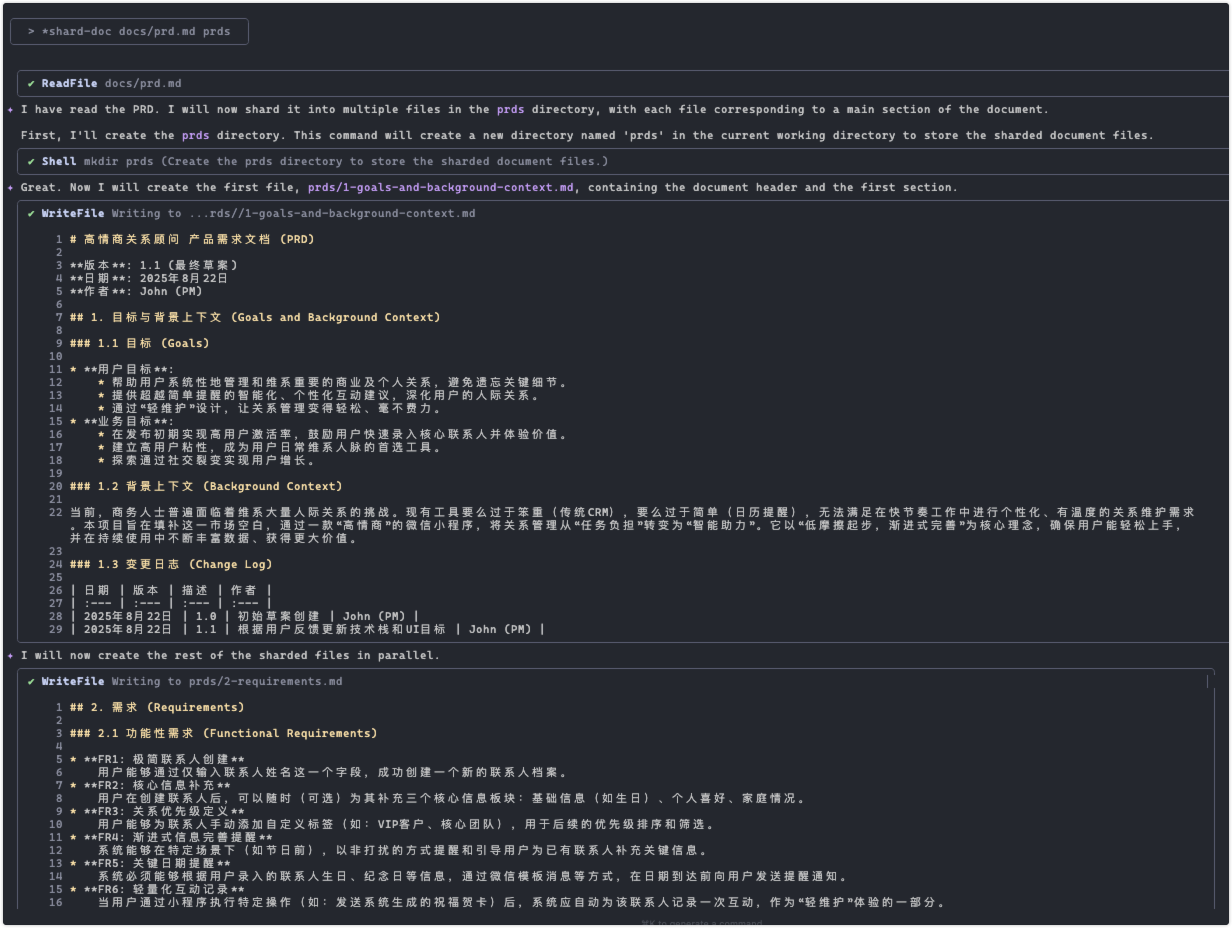
完成拆解之后,进入任务讲述者
*agent sm │ ╰───────────────╯
✦ Hello, I'm Bob, your Scrum Master. I'm here to help prepare detailed, actionable stories for the development team. Here are the commands I can execute:
help: Show this list of commands.
correct-course: Execute the correct-course task.
draft: Execute the create-next-story task.
story-checklist: Execute the story-draft-checklist.
exit: Exit the Scrum Master persona.
How can I help you today?
选择3,将会实现第一个任务
手动下载了hbuilder的模版代码,调整之后担心ai识别有误,明文告知ai,以免造成误导
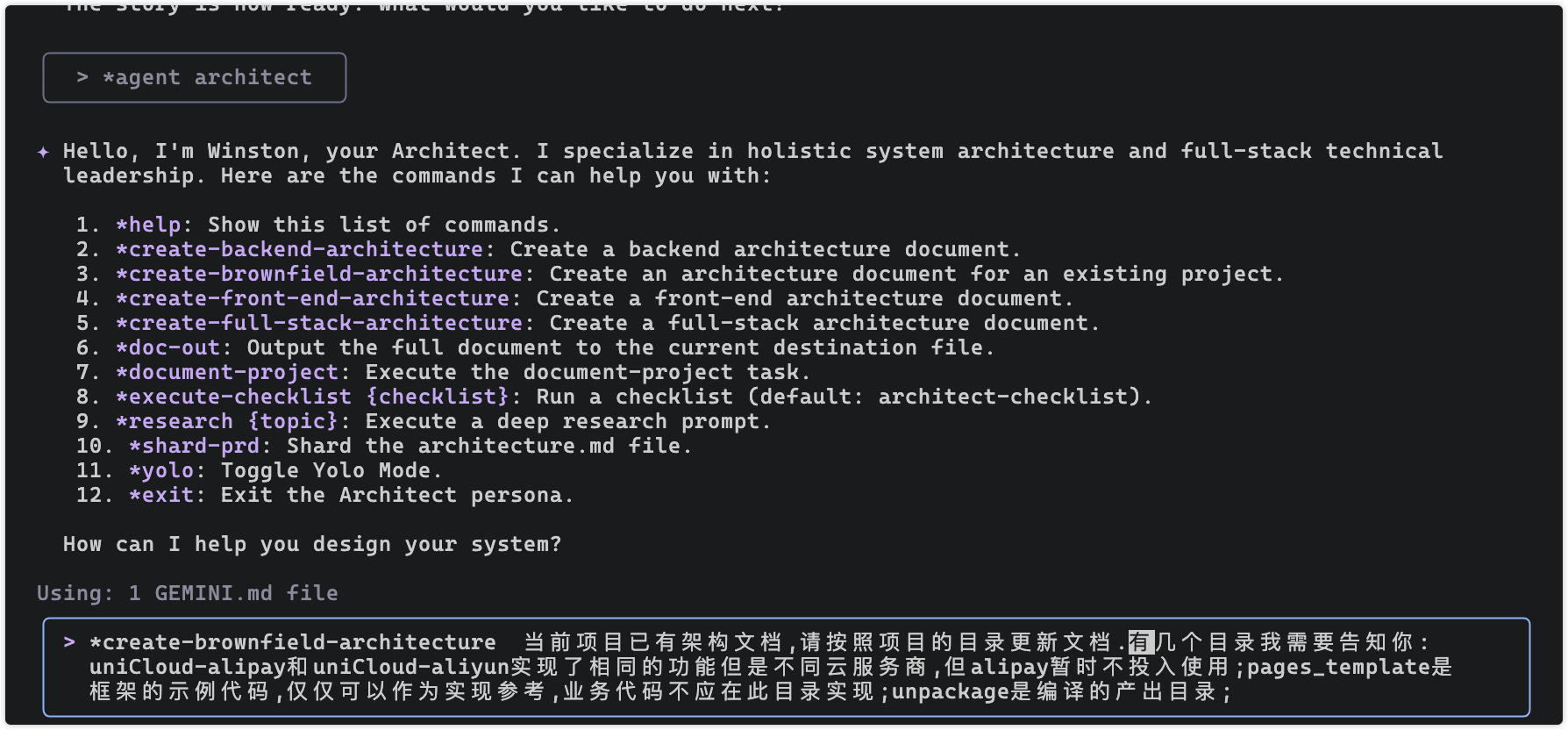
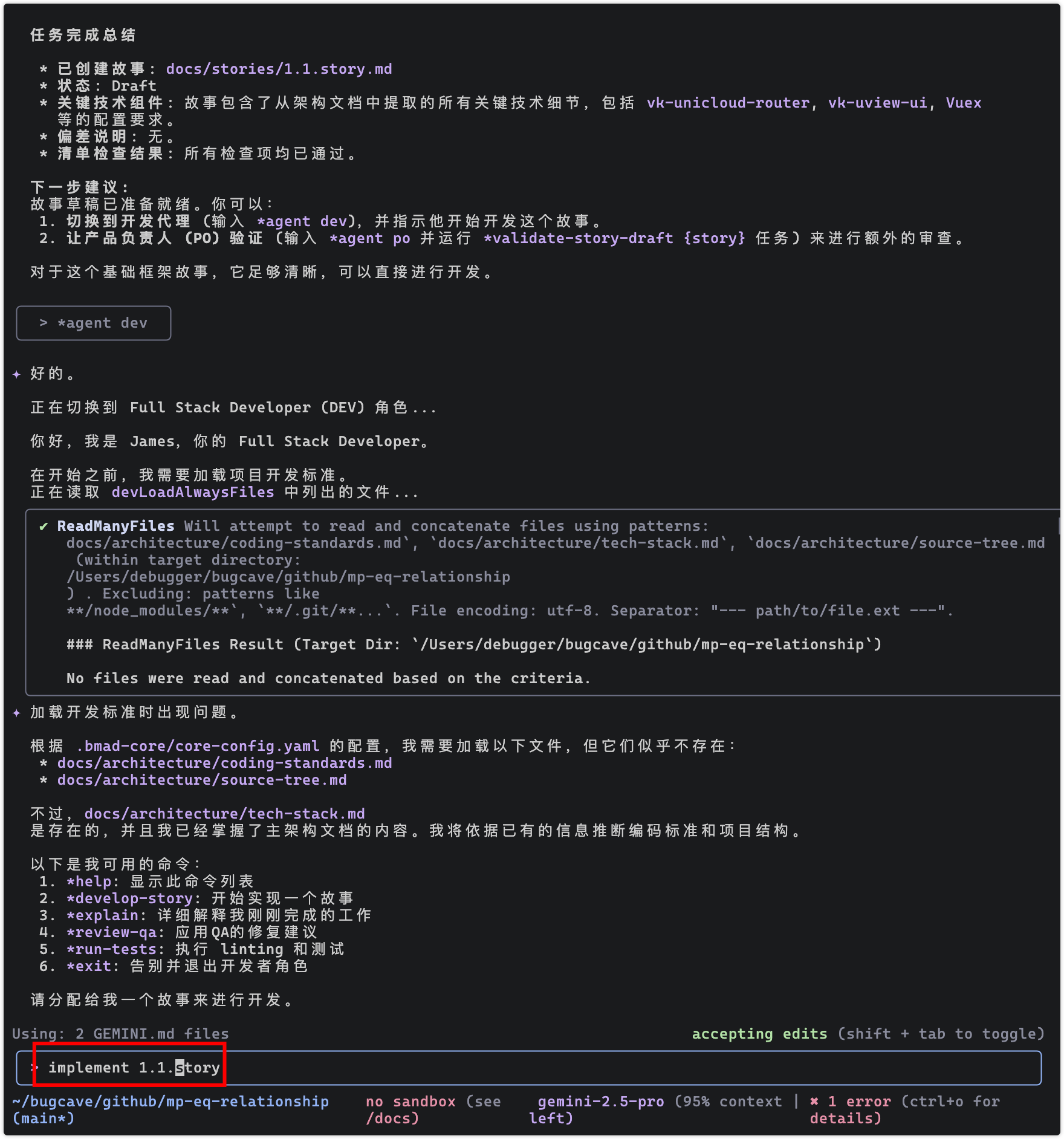
开发代理
*agent dev 开发代理
执行任务之前,需要审查 1.1.story.md 修改,状态修改 Draft 为 Approved,
dev 开发完成后,会自动将状态更新**Status**: Ready for Review,此时我们审查任务完成情况,调整为 Review(开发完成)